How to Access Legal Databases in Whisperit
Learn how to access and use Swiss legal databases in Whisperit, including OpenCaseLaw and Legal Data Hunter, and understand how the AI uses them automatically to provide more accurate and reliable legal answers.
Last updated 6 months ago
Are legal databases enabled by default?
Yes. In Whisperit V3, OpenCaseLaw and Legal Data Hunter are enabled by default for every conversation. You do not need to do anything to activate them.
Does the AI use them automatically?
Yes. The assistant knows when to use them based on your request. However, you can also explicitly instruct it to search, for example:
"Check Swiss laws"
"Use your search tools"
"Verify using your available sources"
"Use OpenCaseLaw"
Can I disable the legal databases?
Yes. If you do not need them for a specific conversation, you can turn them off on demand directly from the interface.
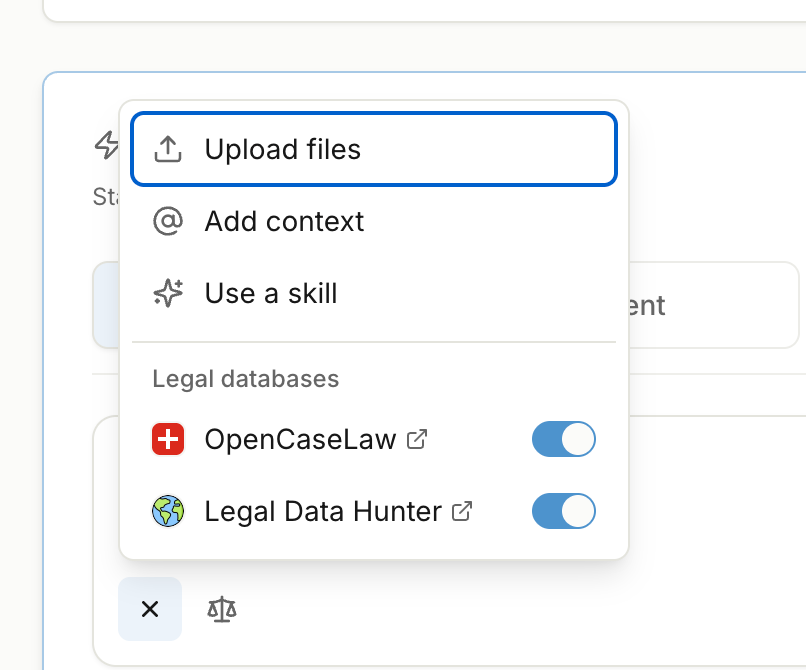
What changed compared to the Legacy version of Whisperit?
In the legacy version, the Swiss Case Search button had to be pressed manually for each individual request and was not persistent between messages. Currently in the new upgraded version of Whisperit, sources are always active by default, which significantly reduces the risk of the AI relying solely on its internal knowledge and producing inaccurate answers.
What's the difference between OpenCaseLaw search and the Legal Research (web) search?
A:OpenCaseLaw (and Legal Data Hunter) are instant database searches
OpenCaseLaw covers 1M+ Swiss federal and cantonal court decisions, updated daily, as well as federal and cantonal legislation and regulatory/oversight body decisions.
Legal Data Hunter covers 6M+ international laws. Both are secure and keep your data in Switzerland.
Legal Research (web) is a deep search that browses the internet it takes ~15 minutes but produces a 3–5 page report with sources.
Use OpenCaseLaw for tactical, precise lookups; use Legal Research for broader exploratory research or cross-jurisdictional questions. Note: do not attach confidential documents when using Legal Research (web) as it accesses external servers.
Can I force Lia to use OpenCaseLaw specifically?
Yes. Simply tell her explicitly in your prompt: "Search OpenCaseLaw for..." or "Answer this based on OpenCaseLaw only." You can also disable specific tools in the assistant settings.
What does OpenCaseLaw actually cover?
OpenCaseLaw is much more than just "laws and court decisions", it's a unified mirror of almost everything public and judicial published in Switzerland. It includes:
Judicial decisions: Federal and cantonal courts (civil, criminal, administrative, social security, etc.)
Legislation: Federal and cantonal laws and regulations (via Fedlex and LexFind)
Regulatory and oversight decisions: FINMA, COMCO, PostCom, lawyer supervision bodies, data protection commissions, and more
International sources: ECtHR decisions involving Switzerland, CAS/TAS sports arbitration awards
Read more about legal databases here:
Was this helpful?
Still need help? Ask the team